
 Steam
Steam  Windows
 | Release Date | 04.09.2026 | |
| Publisher | Capcom Co., Ltd. | |
| PEGI Rating | + 18 | |
| Operating Systems | Windows | |
| Genres | Action, Adventure, rpg |
19.99€
Added to Cart
19.99€
Added to Wishlist
19.99€
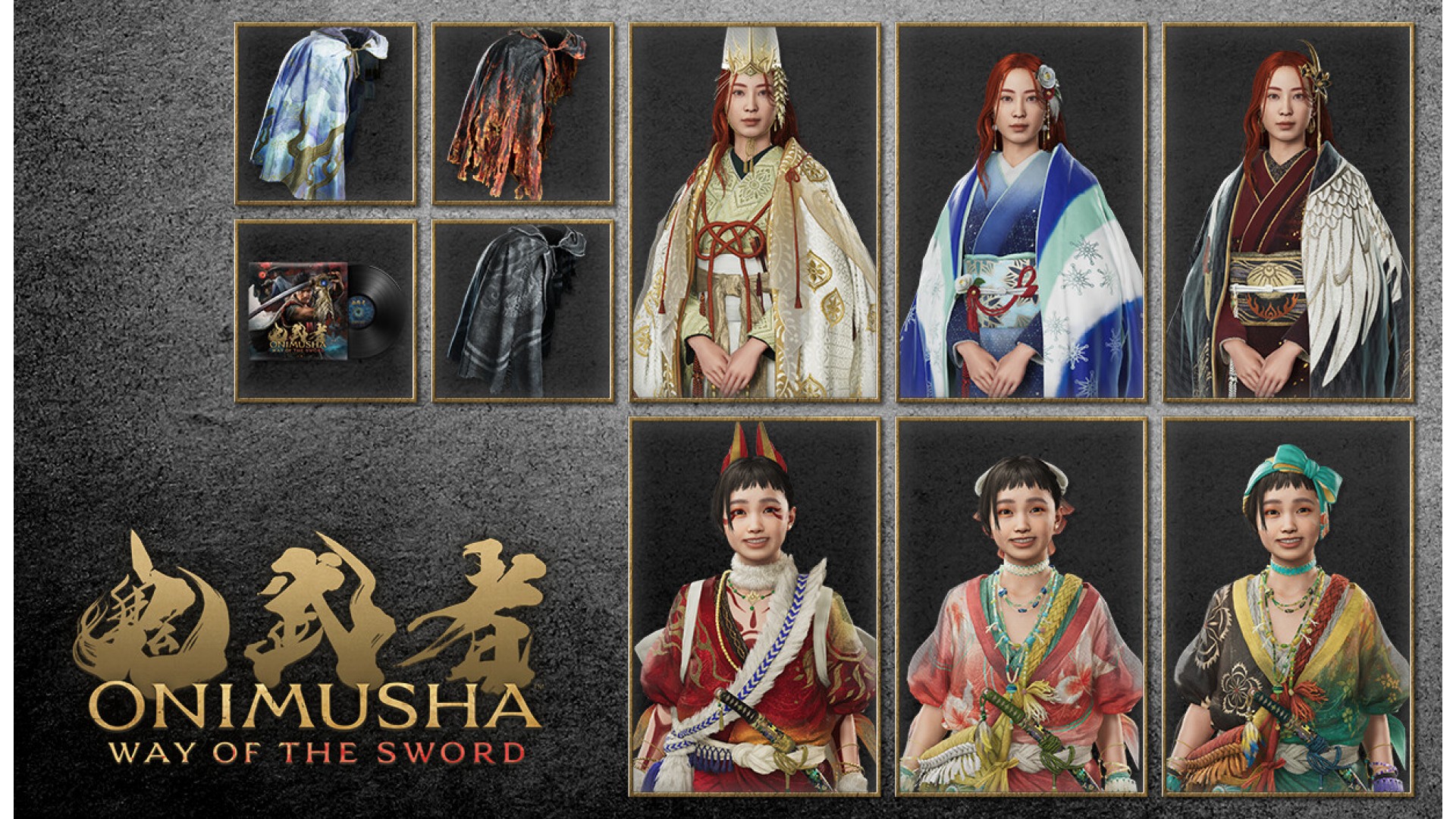
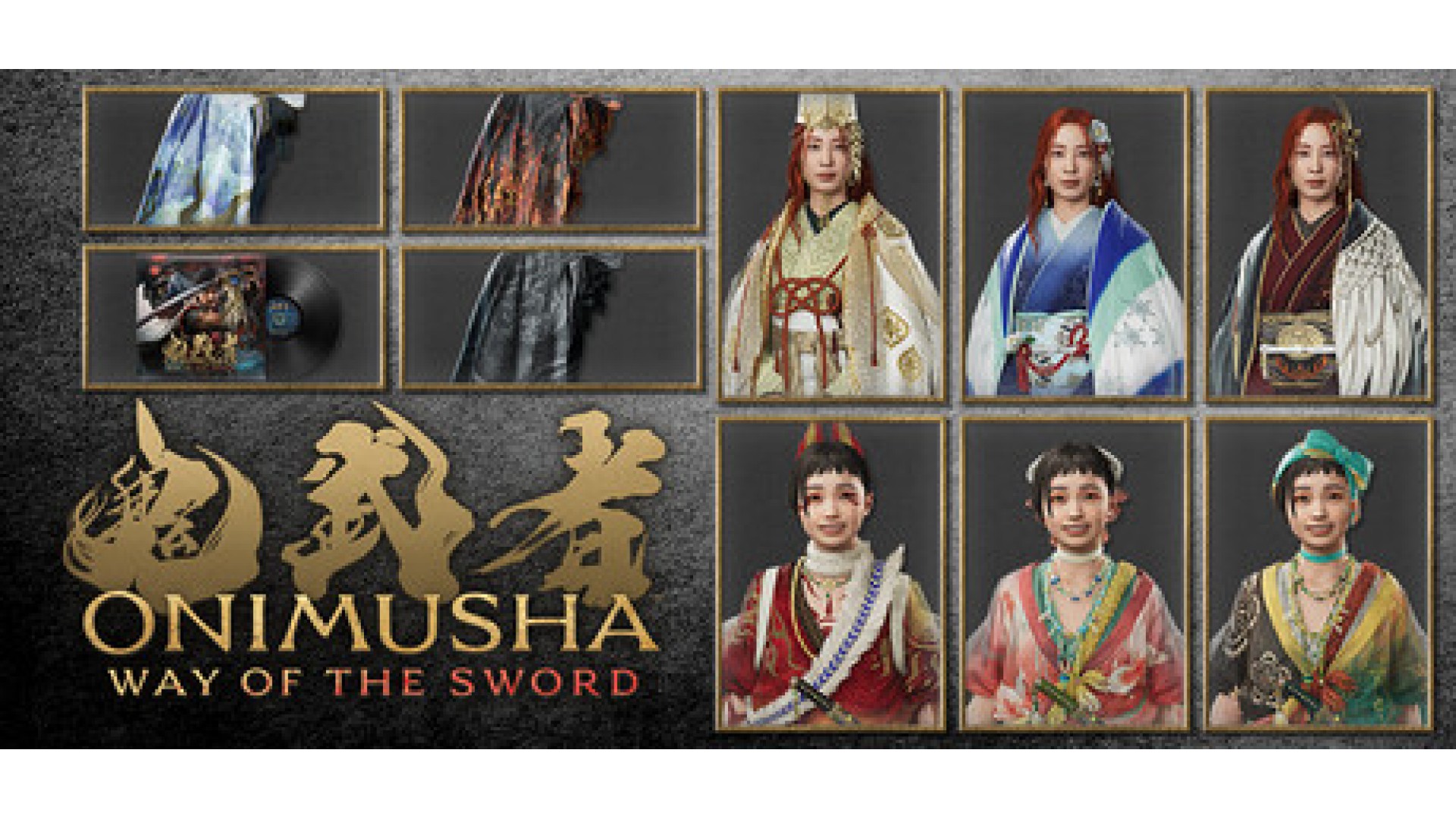
A set containing a mini digital soundtrack that can be played in-game, and a variety of items that can be used to change the appearance of Miyamoto Musashi and his allies.
Contains the following:
・ Hellfire Haori
・ Moonlight Haori
・ Cloudbiter Haori
・ Outfit for Okuni: Flower Dance
・ Outfit for Okuni: Goldfish Dance
・ Outfit for Okuni: Oni Dance
・ Outfit for the Oni Lady: Bird Call
・ Outfit for the Oni Lady: Snow Camellia
・ Outfit for the Oni Lady: Elegance
・ In-Game Mini Digital Soundtrack
*Please note that some content may become available at a later date.
*You may need to update to the latest version of the game to use this content.
*The base game (sold separately) is required to use this content.
*Haori coats are cosmetic items that change the appearance of Miyamoto Musashi. They do not alter his performance in battle.
*The items from this set can be claimed in-game via the Spirit Mirror.
*You can change haori coats by selecting Change Appearance from the Spirit Mirror menu in-game. Spirit Mirrors and Change Appearance will become unlocked separately as the game progresses.
*The Mini Digital Soundtrack feature enables playback of the music from within the game. It does not allow you to change the music played during gameplay.
*The Mini Digital Soundtrack feature will be added to the title screen menu.
ⒸCAPCOM


How to activate your Steam key?
1. Open your Steam client. (If you don't have a Steam Client, you can install from here https://store.steampowered.com/about/)
2. Sign in to your Steam account. (If you don't have a Steam Account, you can create from here https://store.steampowered.com/join/)
3. Click “ADD A GAME” button which is at the bottom of the Steam Client.
4. Now select "Activate a product on Steam..."
5. Write or copy-paste your Steam key which you purchased from Gamesforpc.
6. Now your game is in your library.
7. Find your game in your library, select and click install to start your download.