






 Steam
Steam  Windows
 | Release Date | 14.09.2018 | |
| Publisher | THQ Nordic GmbH | |
| PEGI Rating | + 3 | |
| Operating Systems | Windows | |
| Genres | Action, Adventure |
27.99€
Added to Cart
27.99€
Added to Wishlist
27.99€
Welcome to Adventure!
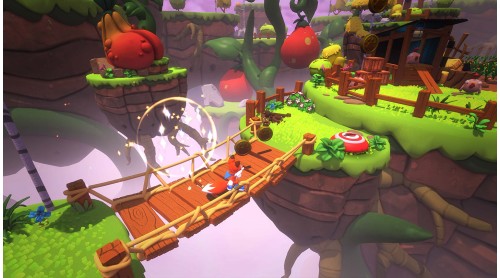
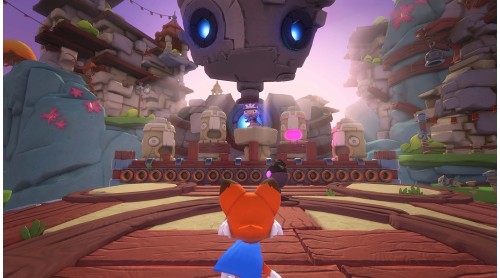
Super Lucky’s Tale is a delightful, playground platformer for all ages that follows Lucky, the ever-optimistic, energetic, and lovable hero, on his quest to find his inner strength and help his sister rescue the Book of Ages from Jinx. Jinx is the scheming and mysterious villain trying to reshape the world, but for what reason?
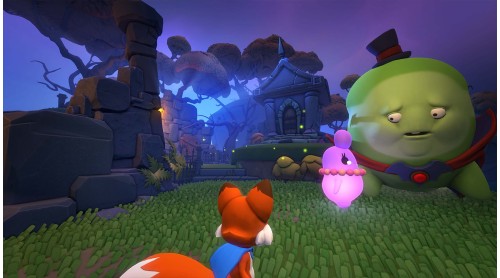
Along the way, encounter a hilarious supporting cast of friends and adversaries. Lucky must confront the nefarious Kitty Litter, Jinx's mischievous kids - self-taught villains who might not be getting Jinx's plans quite right. Lucky meets friends and allies along the way too. He meets misplaced Yetis, Kookie Spookies, a village of farming worms, and other colorful friends inhabiting the Book of Ages.
Test your skills with puzzles and nerve-wracking obstacle courses. Explore hidden secrets of new worlds with Lucky's signature burrow move. Dive into unpredictable foxholes, or try devilish side scrolling challenge levels to unlock additional rewards.
Head back to the era of classic platformers with challenges players of all skill levels and all ages can enjoy.
© 2018 ASOBO STUDIO
Microsoft Studios © 2018 Microsoft Corporation


How to activate your Steam key?
1. Open your Steam client. (If you don't have a Steam Client, you can install from here https://store.steampowered.com/about/)
2. Sign in to your Steam account. (If you don't have a Steam Account, you can create from here https://store.steampowered.com/join/)
3. Click “ADD A GAME” button which is at the bottom of the Steam Client.
4. Now select "Activate a product on Steam..."
5. Write or copy-paste your Steam key which you purchased from Gamesforpc.
6. Now your game is in your library.
7. Find your game in your library, select and click install to start your download.